Introduction
NodeJS and Browser JavaScript: JavaScript has become a staple of modern web development. While most people associate JavaScript with the browser, the language can also run on the server side, thanks to NodeJS. In this article, we will explore the fundamental differences between NodeJS and Browser JavaScript. This understanding is crucial for anyone looking to dive into full-stack development.
NodeJS vs Browser JavaScript is not just an academic distinction; it has practical implications for how you write code, the available libraries, and the performance of your applications. Let’s embark on this journey to discover these differences.
Table of Contents
What is NodeJS?
NodeJS is an open-source, cross-platform runtime environment for executing JavaScript code outside of a web browser. Built on Chrome’s V8 JavaScript engine, it allows developers to build scalable network applications. NodeJS is engineered to work asynchronously, making it highly suitable for I/O-bound applications.
NodeJS is widely used for building web servers, applications, and even command-line tools. Because it uses non-blocking I/O operations, NodeJS can handle multiple connections at the same time without being overwhelmed, making it efficient for scalable applications.
What is Browser JavaScript?
Browser JavaScript refers to the implementation of JavaScript that runs in a web browser. This version of JavaScript allows developers to create dynamic web pages and interactive user interfaces. Browser JavaScript interacts with HTML and CSS, allowing for rich web experiences.
While executing scripts within the browser, JavaScript can respond to user actions, manipulate the Document Object Model (DOM), and communicate with servers through APIs. However, it has certain restrictions, especially regarding file system access, as it is primarily focused on client-side operations.
Key Differences between NodeJS and Browser JavaScript
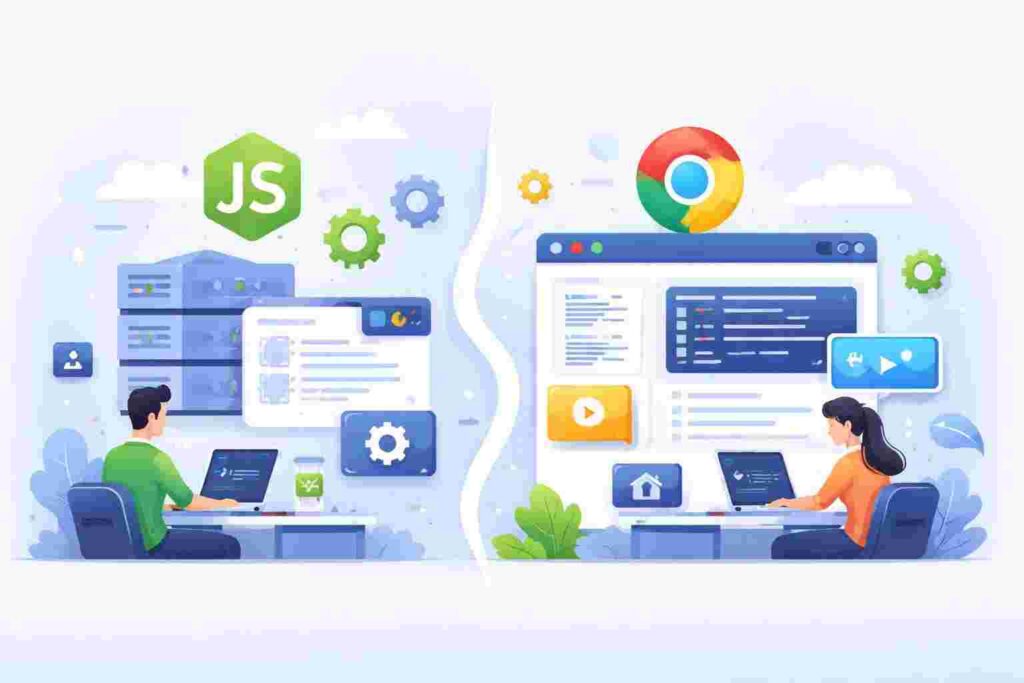
Understanding the differences between NodeJS and Browser JavaScript is essential for developers to choose the right tool for their projects. Here are some vital distinctions:
- Execution Environment: NodeJS is designed to run on servers, while Browser JavaScript runs in the context of a browser.
- APIs: NodeJS provides APIs for file system access, networking, and other server-side capabilities, which are not available in browser JavaScript.
- Modules: In NodeJS, developers can import files and modules from the filesystem, whereas browser JavaScript typically runs scripts directly within HTML.
NodeJS Architecture
The architecture of NodeJS is event-driven and non-blocking, enabling it to handle numerous connections simultaneously. Here’s a brief overview of its components:
- Event Loop: The core mechanism that allows NodeJS to perform non-blocking I/O operations. It continuously checks if any tasks are pending and executes them.
- V8 Engine: The JavaScript engine that converts JavaScript code into machine-level code for execution.
- Libuv: A library that provides the event loop and thread pool for I/O operations, allowing NodeJS to perform tasks asynchronously.
Browser JavaScript Architecture
Browser JavaScript’s architecture is more straightforward. It relies heavily on the browser’s rendering engine to execute scripts and manipulate the DOM. Key components include:
- JavaScript Engine: Each browser has its own JavaScript engine that executes scripts. For example, Chrome uses V8, while Firefox uses SpiderMonkey.
- DOM: The Document Object Model that allows JavaScript to interact with HTML and CSS.
- Event Handling: Browser JavaScript reacts to user actions such as clicks, keyboard inputs, or other events.
Use Cases for NodeJS
NodeJS shines in various applications, particularly those requiring a scalable solution. Some common use cases include:
- Real-Time Applications: Apps like chat applications or collaborative tools benefit from NodeJS’s event-driven model.
- RESTful APIs: Many developers choose NodeJS for building APIs due to its ability to handle multiple requests efficiently.
- Single Page Applications (SPAs): NodeJS works well with frameworks like Angular and React to create SPAs, facilitating server-side rendering.
Use Cases for Browser JavaScript
Browser JavaScript is crucial for creating interactive web pages. Here are some practical applications:
- User Interface Enhancements: Features like dropdown menus, modals, and animations are achievable using Browser JavaScript.
- Form Validation: JavaScript can validate user inputs on the client-side, providing immediate feedback without server calls.
- API Integration: Browser JavaScript can fetch data from APIs using AJAX or Fetch API, creating dynamic content based on user actions.
Code Example: Setting Up a Simple NodeJS Server
const http = require('http');

const hostname = '127.0.0.1';
const port = 3000;

const server = http.createServer((req, res) => {
  res.statusCode = 200;
  res.setHeader('Content-Type', 'text/plain');
  res.end('Hello World\n');
});

server.listen(port, hostname, () => {
  console.log(`Server running at http://${hostname}:${port}/`);
});
This example sets up a simple HTTP server using NodeJS:
- const http = require(‘http’); – Imports the HTTP module for creating a server.
- const hostname = ‘127.0.0.1’; – Defines the server’s hostname.
- const port = 3000; – Sets the server’s listening port.
- http.createServer((req, res) => { … }); – Creates the server and defines the request and response functionalities.
- server.listen(port, hostname, () => { … }); – Starts the server, logging a message when it’s running.
Code Example: Simple JSON Fetch with Browser JavaScript
fetch('https://api.example.com/data')
  .then(response => response.json())
  .then(data => {
    console.log(data);
  })
  .catch(error => {
    console.error('Error:', error);
  });
This code fetches JSON data from an API in Browser JavaScript:
- fetch(‘https://api.example.com/data’) – Initiates a fetch request to the specified URL.
- .then(response => response.json()) – Converts the response to JSON format.
- .then(data => { console.log(data); }) – Logs the fetched data to the console.
- .catch(error => { console.error(‘Error:’, error); }) – Catches and logs any errors during the fetch operation.
Folder Structure of a NodeJS Project
To give you an idea of a typical NodeJS project, here’s a sample folder structure:
| Directory | Description |
|---|---|
| src/ | Contains all source files. |
| public/ | Static files (HTML, CSS, JS). |
| package.json | Manages project dependencies. |
| server.js | Entry point for the application. |
| node_modules/ | Contains all installed packages. |
| README.md | Documentation for the project. |
Real-World Scenario: Building a Chat Application with NodeJS
In a chat application, NodeJS can efficiently handle multiple user connections and facilitate real-time messaging. By using WebSockets, you can create a bidirectional communication channel between the server and clients.
The server could emit events to clients when new messages are sent, and clients could also emit events to send messages. This setup ensures that users can see messages in real-time without refreshing their browsers.
Real-World Scenario: Enhancing User Interactions with Browser JavaScript
Consider an eCommerce website that needs interactive elements like sliders, image galleries, and live search features. Using Browser JavaScript, you can create such interactive elements that improve user engagement.
For example, live search can be implemented where as the user types, suggestions dynamically appear based on the entered query. This enhances the overall user experience without the need for page reloads.
Performance Considerations for NodeJS
While NodeJS is efficient for I/O-bound applications, it may not be the best choice for CPU-intensive tasks. NodeJS runs on a single-threaded model, which means heavy computations can block the event loop and slow down the performance.
For optimal performance, consider using worker threads for dealing with heavy computation tasks. This allows you to offload processing and keep your application responsive to incoming requests.
Performance Considerations for Browser JavaScript
Performance in Browser JavaScript is influenced by multiple factors, including the browser engine, code efficiency, and the user’s device capabilities. It’s crucial to write efficient, optimized code to minimize lag and decrease load times.
Employ techniques like lazy loading of resources, minimizing DOM manipulations, and using efficient algorithms to keep your applications performing smoothly in the browser environment.
Common Challenges in NodeJS Development
NodeJS developers face several challenges, including:
- Callback Hell: Working with nested callbacks can lead to difficult-to-read code. Solutions include using Promises or async/await syntax.
- Dependency Management: Managing numerous packages in NodeJS can lead to version conflicts and require careful dependency tracking.
- Error Handling: Asynchronous code can complicate error handling, necessitating structured approaches for robustness.
Common Challenges in Browser JavaScript Development
Browser JavaScript presents its own set of challenges:
- Browser Compatibility: Different browsers may interpret JavaScript differently. Ensure cross-browser testing.
- Performance Variability: Performance can vary greatly depending on user hardware; coding with efficient practices is essential.
- Security Concerns: Be aware of vulnerabilities like Cross-Site Scripting (XSS) that can compromise web applications.
Conclusion
Both NodeJS and Browser JavaScript play vital roles in web development, serving different purposes in the full-stack ecosystem. NodeJS is ideal for server-side applications, while Browser JavaScript excels at creating dynamic user interfaces. Understanding these differences allows developers to harness the full potential of both environments.
As the web continues to evolve, being proficient in both NodeJS and Browser JavaScript offers a significant advantage. Embrace the unique features and limitations of each to build powerful applications that provide an excellent user experience.
FAQ
1. What are the main advantages of using NodeJS?
NodeJS is scalable, event-driven, and efficient for handling I/O operations, making it ideal for real-time applications.
2. Can I use the same JavaScript code in both NodeJS and Browser?
While much of the syntax is similar, not all NodeJS features are available in Browser JavaScript and vice versa.
3. What is the main limitation of Browser JavaScript?
Browser JavaScript typically cannot access server-side resources directly, limiting its capabilities for tasks that require server interaction.
4. How do I manage dependencies in a NodeJS project?
Dependencies in NodeJS are managed using the package.json file, where you can define and organize your project’s packages.
5. Is NodeJS suitable for small applications?
While NodeJS excels at handling larger, complex applications, it can also be effectively used in smaller projects, especially when real-time communication is required.