Introduction to Node-JS
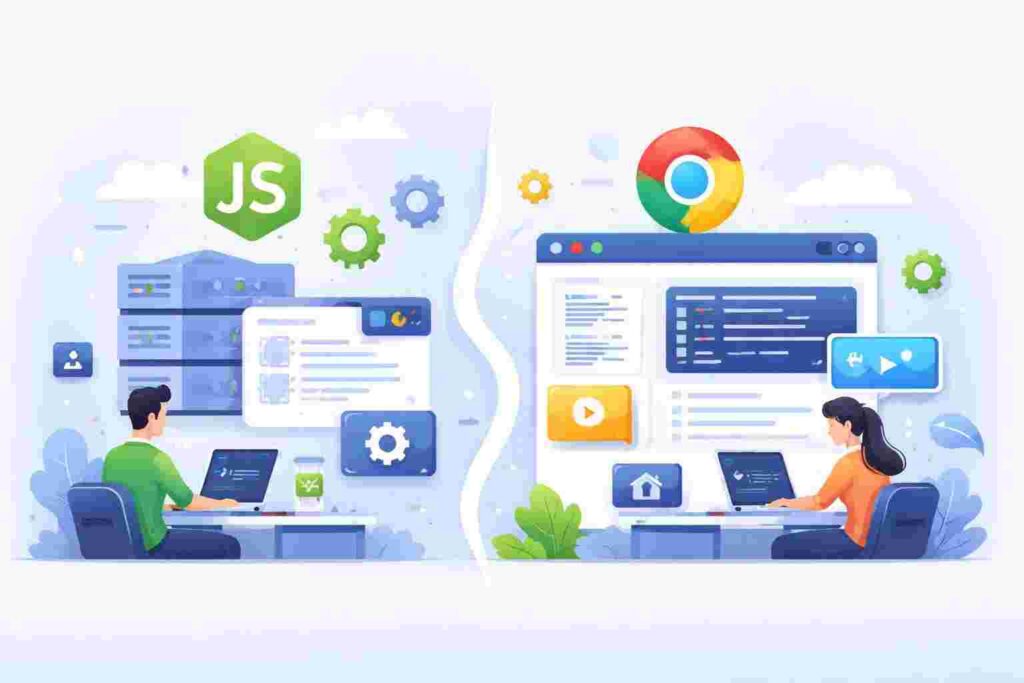
NodeJS is a powerful open-source runtime environment that allows developers to run JavaScript on the server side. Traditionally, JavaScript was limited to the browser, but with Node-JS, it can be used to develop server-side applications, enabling full-stack JavaScript development.
Table of Contents
With the rise of web applications needing real-time interaction, NodeJS has gained immense popularity among developers. Its non-blocking architecture allows it to handle multiple connections simultaneously without being hindered by heavy computations.
History of Node-JS
NodeJS was created by Ryan Dahl in 2009. The goal was to make it possible to build scalable network applications using JavaScript. The project quickly gained traction, leading to a rich ecosystem of libraries and frameworks.
Over the years, NodeJS has evolved and grown, supported by a robust community and continual enhancements. Its ability to streamline development processes and improve performance has positioned it as a staple in modern web development.
How Node-JS Works
At its core, NodeJS is based on JavaScript’s asynchronous programming model, utilizing an event-driven architecture. This means that operations like I/O are handled in a non-blocking manner, allowing other processes to run concurrently.
When a request comes into a NodeJS application, it is processed in an event loop. The event loop listens for tasks, executes them, and delegates I/O tasks to the system, ensuring that the application remains responsive.
Key Features of Node-JS
- Single-threaded model: NodeJS operates on a single-threaded model, making it lightweight and efficient.
- Non-blocking I/O: This feature allows NodeJS to handle multiple operations simultaneously without waiting for one to complete.
- Rich ecosystem: With npm (Node package manager), developers have access to a vast library of reusable code and modules.
Setting Up Node-JS
To get started with NodeJS, follow these simple steps:
- Visit the NodeJS official website.
- Download the latest stable version suitable for your operating system.
- Install NodeJS by following the installation wizard’s instructions.
Checking Installation
Once NodeJS is installed, open your terminal or command prompt and check if NodeJS was successfully installed by executing the following commands:
node -v
npm -v
The first command returns the version of NodeJS, while the second command returns the version of npm.
Your First Node-JS Application
Let’s create a basic NodeJS application that serves a simple web page. The folder structure should look like this:
my-node-app/
 └── app.js
Now, add the following code to the app.js file:
const http = require('http');
const hostname = '127.0.0.1';
const port = 3000;

const server = http.createServer((req, res) => {
  res.statusCode = 200;
  res.setHeader('Content-Type', 'text/plain');
  res.end('Hello World\n');
});

server.listen(port, hostname, () => {
  console.log(`Server running at http://127.0.0.1:${port}/`);
});
Code Explanation
Line 1: We import the http module which allows us to create an HTTP server.
Line 2: We define the hostname for our server. In this case, it’s set to localhost.
Line 3: We set the port number that the server will listen to.
Lines 5-10: We create the server, specifying what to do upon a request, setting status codes, headers, and sending a response.
Line 12: We start the server and log a message to the console indicating where it’s running.
Working with Modules
NodeJS allows you to modularize your code via modules. This helps in organizing your application and reusing code effectively. You can create a simple module as follows:
// greeting.js
module.exports = function() {
  return 'Hello from NodeJS!';
};
Now, you can utilize this module in your main application file:
const greeting = require('./greeting');
console.log(greeting());
Code Explanation
Line 1-4: We define a module named greeting and export it using module.exports.
In the next code block, we import this module and log its execution on the console.
RESTful APIs with Node-JS
NodeJS is commonly used for building RESTful APIs. Here’s a simple example:
const express = require('express');
const app = express();

app.get('/api', (req, res) => {
  res.json({ message: 'Welcome to my API!' });
});

app.listen(3000, () => {
  console.log('API is running on http://localhost:3000/api');
});
Code Explanation
Line 1: We import the Express framework that helps in building web applications in NodeJS.
Line 2: We create an Express application instance.
Line 4-6: We define a route that when hit, responds with a JSON message.
Line 8: We start our Express server listening on port 3000.
Real-world Scenario: Building a Chat Application
NodeJS excels in real-time applications such as chat applications. Developers can utilize WebSockets to enable real-time communication. Here’s a basic structure for a chat app:
const express = require('express');
const http = require('http');
const socketIo = require('socket.io');

const app = express();
const server = http.createServer(app);
const io = socketIo(server);

io.on('connection', (socket) => {
  console.log('New user connected');
});

server.listen(3000, () => {
  console.log('Chat server running on http://localhost:3000');
});
Code Explanation
The code demonstrates how to set up a basic chat server using Express and Socket.IO. Whenever a new user connects, it logs their connection on the console.
Debugging Node-JS Applications
Debugging is crucial in application development. NodeJS provides several ways to debug applications:
- Using Console: Utilize
console.log()for basic debugging. - Node Inspector: A tool that allows debugging directly in the browser.
- Debugging with VSCode: Use breakpoints and inspect the code while it runs.
Performance and Optimization
NodeJS is known for its high performance and scalability. However, it can be optimized further through various methods such as:
- Clustering: Use the
clustermodule to take advantage of multi-core systems. - Caching: Implement caching solutions to reduce load times.
- Database Optimization: Fine-tune database queries for better speed.
Testing Node-JS Applications
Testing is vital for ensuring application reliability. Tools like Mocha, Chai, and Jest can be used to write tests for NodeJS applications.
const assert = require('assert');
const sum = (a, b) => a + b;

describe('Sum function', () => {
  it('should return the sum of two numbers', () => {
    assert.strictEqual(sum(1, 2), 3);
  });
});
Code Explanation
Line 1: We import the assert library for assertion testing.
Line 2: A simple sum function is defined.
Lines 4-8: We use Mocha’s structure to test the function, verifying that the sum of 1 and 2 indeed returns 3.
Frequently Asked Questions
1. What is Node-JS used for?
NodeJS is frequently used for building web servers, RESTful APIs, and real-time applications such as chat applications and online gaming.
2. Is NodeJS suitable for a beginner?
Yes, NodeJS is suitable for beginners, especially those who already have a grasp of JavaScript. Its simplicity and vast resources make it an excellent starting point.
3. Can I use Node-JS for backend development only?
While NodeJS is primarily used for backend development, it can also be utilized in conjunction with front-end technologies to create full-stack applications.
4. What are the performance benefits of using Node-JS?
NodeJS offers non-blocking I/O operations, making it suitable for handling multiple connections simultaneously, thus improving performance for I/O-heavy applications.
5. How can I deploy a Node-JS application?
You can deploy NodeJS applications on various cloud platforms like Heroku, AWS, or your own server. Most platforms provide simplified deployment processes.
Conclusion
Node-JS is a versatile tool that enables developers to harness the power of JavaScript on the server side. Understanding its basic concepts, installation procedures, and real-world applications can significantly enhance your web development skills. With continued learning and practice, you can master NodeJS and its ecosystem, paving the way for building efficient and scalable applications.
Check more at our Full Node-JS Channel